Overview
Squirrelcart allows you to print labels for USPS shipments using the label APIs provided by USPS. The shipments get assigned a tracking/confirmation number, you print out the label, and the customer receives a ship notification email (if enabled). You can then affix these labels to your packages, apply postage using stamps, and place in a mailbox. You can also bring the package to USPS with the label attached, and they can accept payment for the shipment.
Labels can be printed for the following:
- Delivery Confirmation
This option allows you to confirm delivery of the package using the tracking number generated. - Signature Confirmation
This option allows you to confirm that a package has been delivered and signed for using the tracking number generated. - Express Mail
This option prints a label for Express Mail, and generates a tracking number that can be used to obtain detailed tracking information. - Global Express Mail
This option prints a label for Global Express Mail, and generates a tracking number that can be used to obtain detailed tracking information.
In order to use this feature, you must enable USPS WebTools. See the USPS WebTools topic for more information.
Submitting a Shipment
- Initiate Shipment Process
You can start this process in 3 ways:
Method 1: From within an open order record (in edit mode), click the button.
OR
Method 2: When viewing the Shipments table, click the button.
OR
Method 3: Click the Ship Package menu link for USPS:
- Choose USPS online shipment
Depending on the method you chose above, you may see a dialog similar to this: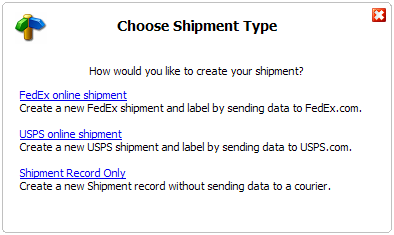
If you see this dialog:
Click the USPS online shipment link.
If you do not see this dialog:
You will be taken right to the form shown in the next step. - Enter Order Number (optional)
If you chose Method 1 above, this step is skipped and the order number from the open order record is automatically assigned to the shipment. If you chose Method 2 or 3, you will see this form: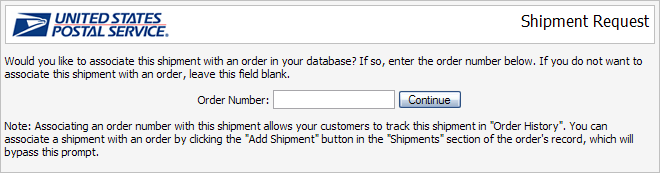
If you want to assign this shipment to an order, enter the order number in the Order Number field. If not, leave the field blank. Then click Continue.

Assigning a shipment to an order allows the customer to track the shipment in your storefront, and makes it easier for you to locate the shipment when viewing their order in the control panel. It also pre-populates the fields on the shipment form with the address information from the order. -
Fill Out Form

Fill out the form and click Submit. - Print Label
A PDF file containing the label will open in a new window. Print the label and then close the window.
-
Final Results
The status of the shipment will be shown as follows: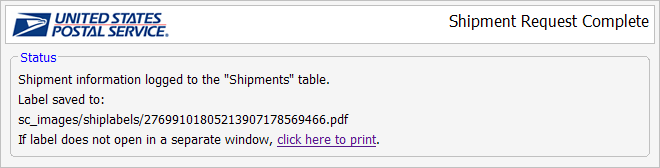
© 2001-2010 Lighthouse Development. All Rights Reserved.